Anatomy of a Rescue: Fixing Snapshot Debt and Backup Gaps

The call started with three complaints: the ERP is slow, backups are throwing warnings nobody understands, and users can't log in on Monday mornings. This is a typical starting point for an infrastructure stabilization engagement when an environment has drifted past predictability.
The dashboards were green. The environment was falling apart underneath them.
One IT lead, a thin support bench, a 24/7 operation. Most problems surfaced after hours. Nobody had time to dig into root causes because they were too busy restarting services.
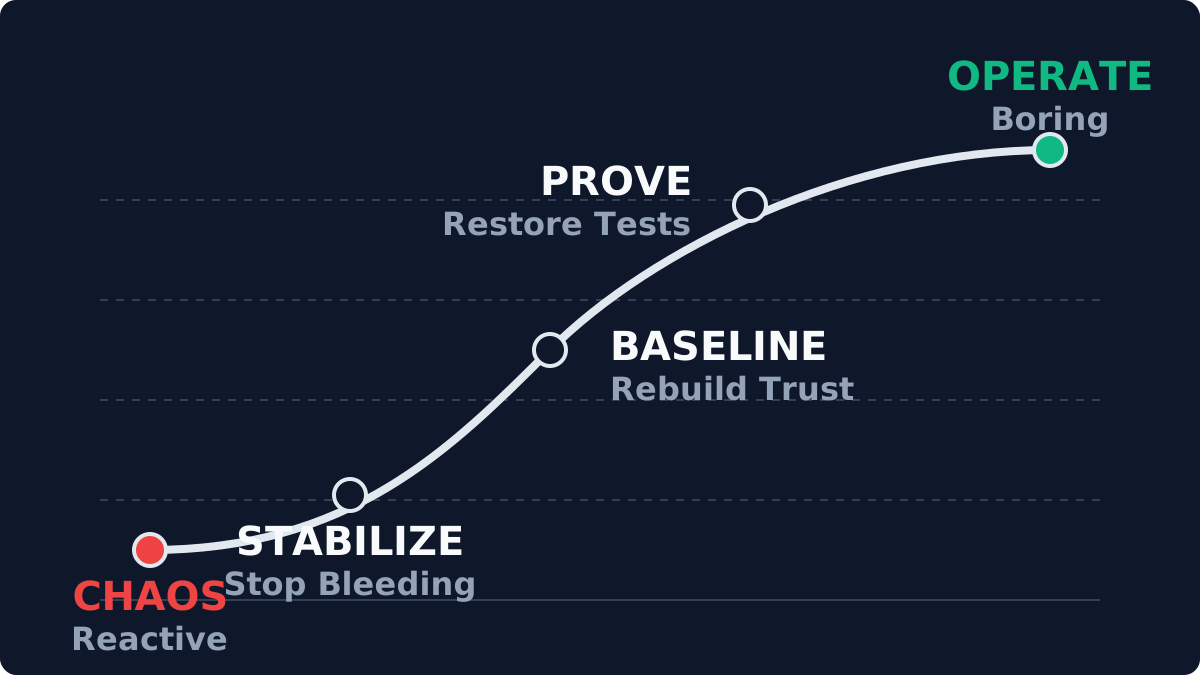
Rescues follow a predictable arc: stabilize, rebuild the baseline, prove recovery, hand off to operators.
Phase 1: Assessment
vCenter looked healthy at the summary layer. The details told a different story.
I ran a PowerCLI assessment and documented the findings.
1. Snapshot debt on the SQL VM
The main complaint was a slow ERP database. The initial recommendation was faster SSDs.
The real cause: the SQL VM was running on a snapshot chain created 26 months ago.
Every write traversed a delta chain. The storage latency wasn't the disk; it was hypervisor overhead managing a 2TB delta file. The snapshot had been taken before an upgrade and never consolidated.
2. The silent backup coverage gap
Veeam showed green jobs. The scope audit showed a gap.
A new cluster of application servers had been deployed six months earlier. They were added to a folder outside the backup selection group, so they had never been backed up. The dashboard was green because the jobs that existed were succeeding. Coverage was incomplete.
3. Time drift and authentication failures
The random login failures were Kerberos time skew.
The ESXi hosts were syncing time from a Domain Controller that had been decommissioned. The hosts drifted minutes apart. When a VM vMotioned between hosts, its clock jumped and Kerberos tokens failed.
Phase 2: Remediation (Controlled Changes)
Every change had a rollback path and a validation step. No heroics.
Step 1: Secure the Safety Net
Before touching storage, I fixed the backups. I created a catch-all job targeting the full datacenter, ran an active full backup of the ERP system, and validated the restore in an isolated sandbox.
Step 2: Snapshot consolidation
Consolidating a 2TB snapshot on a live system requires a quiet window. The "stun" time (when the VM pauses to consolidate final disk blocks) is the operational risk.
I scheduled a maintenance window at 2:00 AM on Sunday, paused heavy application services, and initiated the removal. It took 7 hours.
On Monday, ERP reports that took 40 seconds were generating in 3.
Step 3: Standardization
I pointed all hosts to a reliable external NTP source, standardized vSwitch configurations, and updated documentation to the current baseline.
Phase 3: The Handoff
The speed boost got the applause. The runbook was the actual deliverable.
I handed the IT lead a "Morning Coffee Checklist":
- Check Veeam for unprotected VMs (not just failed jobs).
- Check vCenter for snapshots older than 3 days.
- Check storage capacity trends.
I automated these checks into a weekly email report.
Snapshots older than you remember. Backups you haven't tested. Clocks you haven't checked.
That's what a stabilization engagement is built for.
Next step
Most engagements start with the Health Check. Fixed fee, clear picture, under two weeks.