The iPad Epiphany: How VDI Saved a Healthcare Deployment
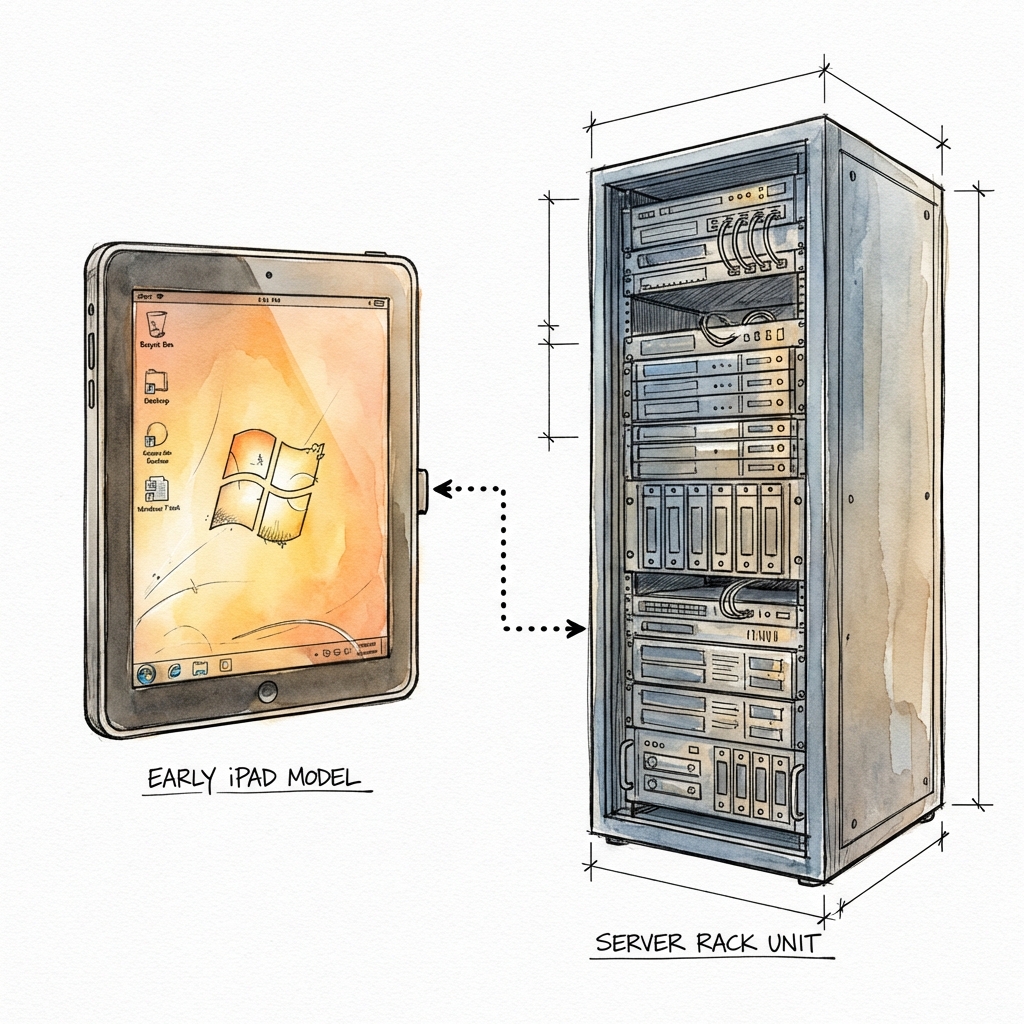
In 2011, "mobile healthcare" meant a 4-pound Windows XP tablet that disconnected if you walked too fast. We fixed it by admitting that the hardware wasn't the problem—the architecture was.
Situation: A fast-growing Women's Health practice had 200+ providers struggling with NextGen EHR on Motion Computing tablets. The result: constant disconnects, lost charts, and frustration.
The "Best Practice" Trap
We had done everything "right" by 2010 standards. The providers were issued Motion Computing Tablet PCs running Windows XP Tablet Edition. To ensure connectivity, the client invested thousands in Cisco LWAPP wireless infrastructure and NetMotion always-on VPN licensing.
It appeared robust on paper. In reality, it was a disaster.
The tablets had sluggish spinning hard drives. The Intel Atheros b/g Wi-Fi cards were sensitive to interference. The resistive touch screens required a stylus and patience. But the real killer was the application architecture: NextGen EHR was a fat client that demanded a perfect, uninterrupted connection to the database.
When a provider walked from Exam Room A to Exam Room B, the application would often freeze or crash. We were throwing infrastructure money at a software architecture problem.
The iPad Epiphany
The iPad had recently launched. It was fluid, fast, and had a capacitive touch screen that actually worked. But it was a "consumer toy." It couldn't run a Windows EXE.
The thought occurred: What if we stop trying to run the app on the device?
If we moved the execution to the datacenter, the device becomes just a window. The chatter between the client and the database happens over gigabit copper in the server room. The only thing going over the air is pixels.
The Pitch and The Proof
I built a proof-of-concept environment over the weekend:
- Hardware: Repurposed older servers.
- Software: VMware Horizon View (v4/v5 era).
- Configuration: A non-persistent desktop pool (fresh state every login).
I handed the CEO an iPad running the Horizon View client. He tapped the icon. A Windows 7 desktop appeared instantly. He opened NextGen. He walked around the office. He went to the parking lot.
The session didn't drop. The application didn't freeze. He green-lit the project immediately. "Fast track it."
Execution: 200 Users in 8 Weeks
- Non-Persistent Desktops: We stopped managing 200 individual Windows installs. We managed one gold image.
- Storage IOPS: This was before all-flash arrays. We carefully calculated IOPS for the "boot storm" (everyone logging in at 8 AM).
- The Rollout: We swapped devices clinic by clinic. Training burden was minimal because the application hadn't changed.
The Outcome
- Reliability: "It just works" became the standard.
- Security: No patient data lived on the device. Zero compliance risk.
- Maintenance: We updated the Gold Image once, recomposed the pool, and everyone logged into the new version the next morning.
Why This Matters Today
The technology has changed—we have Azure Virtual Desktop and Windows 365 now—but the lesson remains.
Don't fight the physics of your application. Sometimes the "boring" answer—centralizing the compute and streaming the pixels—is the most innovative move you can make.